Fusion Blog: Many manufacturers have already moved beyond experimentation and have started adopting AI and automation tools in their daily workflows.
But even as interest turns into adoption, many teams are still asking practical questions: How do we increase output without adding risk? How do we help experienced people move faster without replacing the judgment they bring? And how do we connect work across engineering and manufacturing without disrupting the tools teams already rely on?


5 comments:
Fusion 360 is adjacent to AutoCAD, both created by Autodesk. As someone familiar with Fusion, I have briefly followed Autodesk’s strategy of integrating AI into the product design workflow within Fusion. I believe the approach they have taken, and continue to take, of focusing on integrating AI as a tool to be harnessed complimentary to the person actually using the design software. There is no plan to implement an AI that will replace the jobs or importance of experienced and beginner product designers, but rather one that supports their design process. This style of approach is what I would like to see with the integration of AI workflow into theatrical design and production. The beginning of the AI era is either upon us or here already. There is no stopping it. This makes integrating AI correctly the first time in the world of design and production of vital importance. A core rule of the stagehand union IATSE is not taking/eliminating jobs that could go to another person. The AI integration strategy of Autodesk in Fusion is the same principle. The use of AI to improve efficiency, not to eliminate jobs.
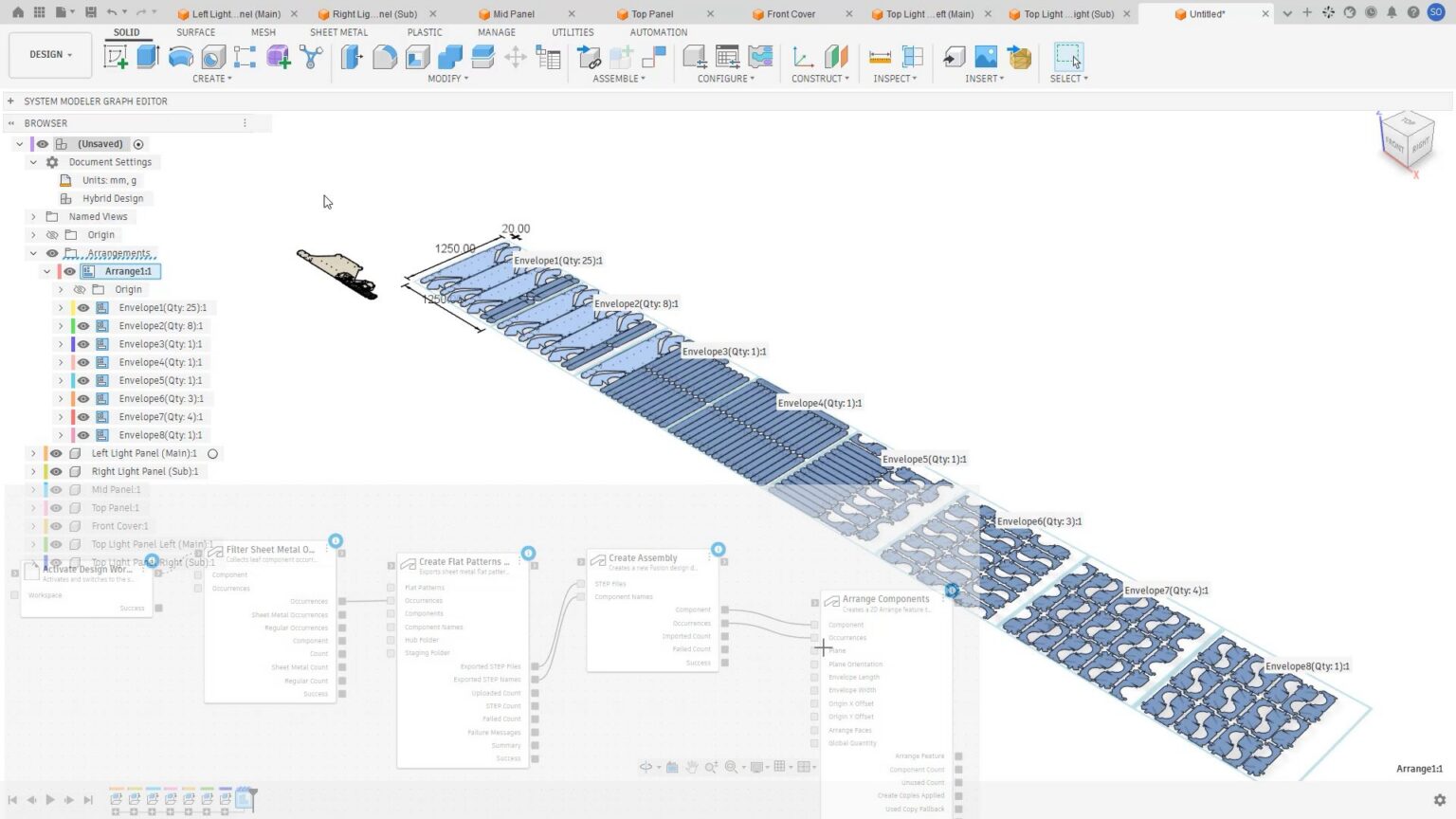
Having used Fusion 360 myself, I find it really fascinating and useful for an automated workflow. Instead of having to create entirely new or repetitive components myself, I could, with the assistance of AI, draw on past models, have similar relevant parts generated, and receive relevant decision suggestions without having to do everything myself. The connection with Inventor also helps create a more complete design process, where instead of designing something in Inventor and then having to move information between different systems, the design can work more directly with Fusion’s cloud-based system and then be manufactured. I find having one connected workflow instead of separate programs really convenient and effective. This really achieves the whole idea of “extending capacity,” where AI helps experienced engineers work faster rather than replace their expertise. Workers can now spend more time and care on the actual design without having to spend as much time transferring manufacturing information, researching information, and doing other repetitive tasks.
Seeing AI enter more and more of our products every single day, it is good to see a team that is taking a more useful, less over-hyped approach to implementing AI in their product (cough cough google docs). I do wonder how much of an impact that will have on our work specifically. For one thing, I don't think we use Fusion (not saying we shouldn't, particularly since they were talking about cross-software support), but also, it seems to me that the AI tools are designed to speed up established workflows, and while I suppose there are some manufacturing tasks that are common across theater shows, I feel like a large part of theater is unique, creating things new every show instead of working to optimize a process, as much of the CAD using industry is. Overall, I am interested to see what approach Autodesk as a whole goes with in terms of implementing AI into their products, as well as the future of the multitude of CAD software's they own.
Being a student and having free access to the most updated forms of autodesk software is an incredibly underutilized resource. Most autodesk softwares run on similar commands that are specialized for specific phases of the production process which makes it easier to learn and transfer between softwares. I love to see specifically the visual aspects of these programs being upgraded as it makes them easier to understand as you can properly visualize the changes you are making. The one drawback a good visualizer has is it decreases the amount of people that are physically able to use the software. If your computer is unable to run the required amount of information that the visualizer uses you can no longer access any of the tools present in the software. Innovation is good unless it begins to limit more people rather than help. Overall I am excited to play around with these new features when they become available.
This article is interesting to me, but also it seems, to me, to be an inefficient way for teams to streamline their process, at least in how theatre operates. Softwares like Revit (also made by AutoDesk) and VectorWorks are considered BIM (Building Information Management, suspiciously similar to Fusions “product information management) software that use similar ideas for their management without the use of AI. BIM softwares are capable of retaining manufacturing information, and making repeatable processes without the use of AI, and all it takes is a bit more oversight on the front end, before all of it is applied, but integrating AI feels unnecessary, as BIM softwares are typically programs driven by algorithmic decisions. Using a wall framing tool in Revit or Vectorworks doesn’t demand the use of AI to determine where your 2x4 studs go (or your 1x4 toggles if you are dedicated enough to outline the parameters of typical theatrical flat construction, which is absolutely doable). You use the interfaces to outline the “rules” of wall construction, and then draw a line and it follows those rules. It’s a reliable, and less resource-consuming process than AI based processes. A once-over of this article leads me to believe that the integration of this is another situation of people trying to apply AI where it isn’t necessary and actively creates a more computationally-intensive process than just being more thoughtful and organized in the resources you use when setting up you and/or your team's workflow. Of course, having full AI integration means generating drawings for less complex parts is easier, and perhaps this is more easily applicable to things like part-manufacturing, where the specific needs prevent the applications of simpler algorithmic driven processes, but is a gross-over compensation for general theatrical applications, and I think could incite a broader trend for implementation of AI in these programs, which I would definitely see as a step in the wrong direction, as it would increase the computing needs of already demanding programs, and therefore encourage cloud-based computing, which not only increases the cost of electronics exponentially, it decreases the threshold for which one can start using these products. I don’t trust an AI to write an essay for me, let alone create the plans for a critical component in any mechanical system.
Post a Comment