 On Stage Lighting: "Regular readers of On Stage Lighting will know that I am currently teaching Technical Theatre subjects at a UK university, leading modules in Lighting, Sound and Video in Theatre Production. Although my specialism is obviously stage lighting design and programming, I have been known to break rank occasionally in my professional life and my current gig requires the teaching of many areas of technical production in performance including sound and AV.
Saturday, April 30, 2011
Qlab Training Tutorial
On Stage Lighting: "Regular readers of On Stage Lighting will know that I am currently teaching Technical Theatre subjects at a UK university, leading modules in Lighting, Sound and Video in Theatre Production. Although my specialism is obviously stage lighting design and programming, I have been known to break rank occasionally in my professional life and my current gig requires the teaching of many areas of technical production in performance including sound and AV.
I recently went to a Playground workshop by Cyril on Sound & Media in QLab. I’d used QLab a bit before in high school, but wanted a dedicated lesson. It was a great review! I wanted to get deeper into it, so I looked in this article!
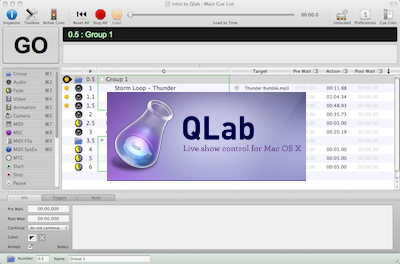
ReplyDeleteThis article is from 2011, but was updated in 2019 with some links to newer versions. I looked into the 2011 version first for fun. It boasts that you can *actually* use it to playback your audio files on a real show. !!!!! The layout was pretty similar to the 5.5.6 version we’re on now. It didn’t have fancy stuff like audio mapping, but it had all the basics: cues, groups, fades, auto follow, auto continue, levels, output, settings, etc.
I looked into this site’s newer tutorials, which were also helpful! Mostly, i looked into “QLab 3 Tutorial: Moving on from QLab 2.” This article is from 2014, so barely any newer. QLab 3 looks more like the interface I’m familiar with, and QLab 2 is the interface I saw from the 2011 articles. It was interesting to see the differences- mainly that there used to be separate fade cues for sound and media!